Generating blurbs
These tools let you control how blurbs are written, how long they are, and how strictly they adhere to your source data.
Have a question, need help, or want advice on getting the best results?
We’re happy to help. Send a message to support@buyblurb.com.
Style & Tone
Style & Tone controls how BuyBlurb frames and delivers your product information. These settings influence voice, wording, and emphasis — without changing the underlying facts pulled from your product description.
Style
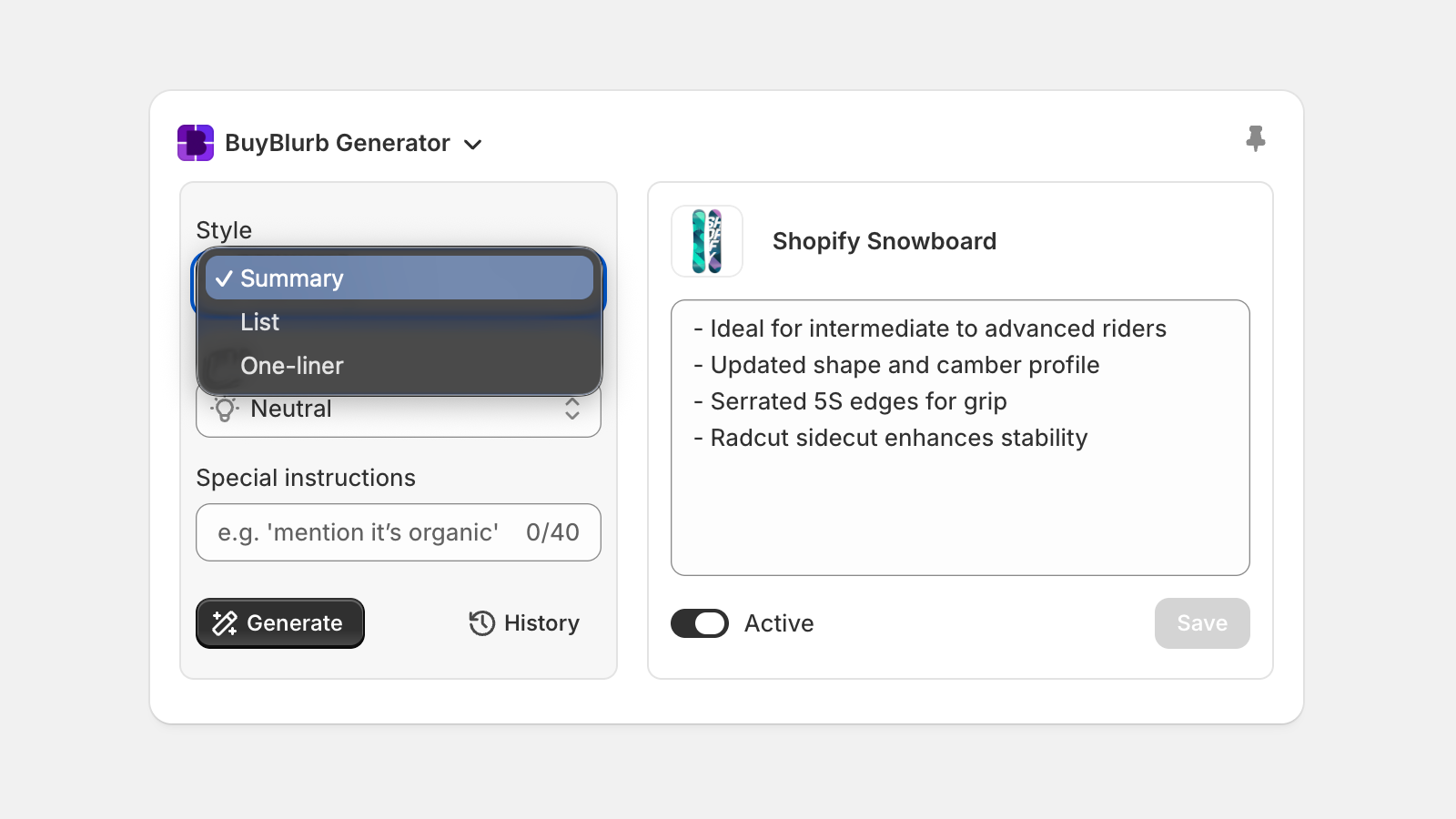
Each generation style is designed for a different reading behavior:
- Summary — clear, neutral overview for quick understanding
- List — scannable bullets highlighting key benefits
- One-liner — concise, high-impact messaging
Tone
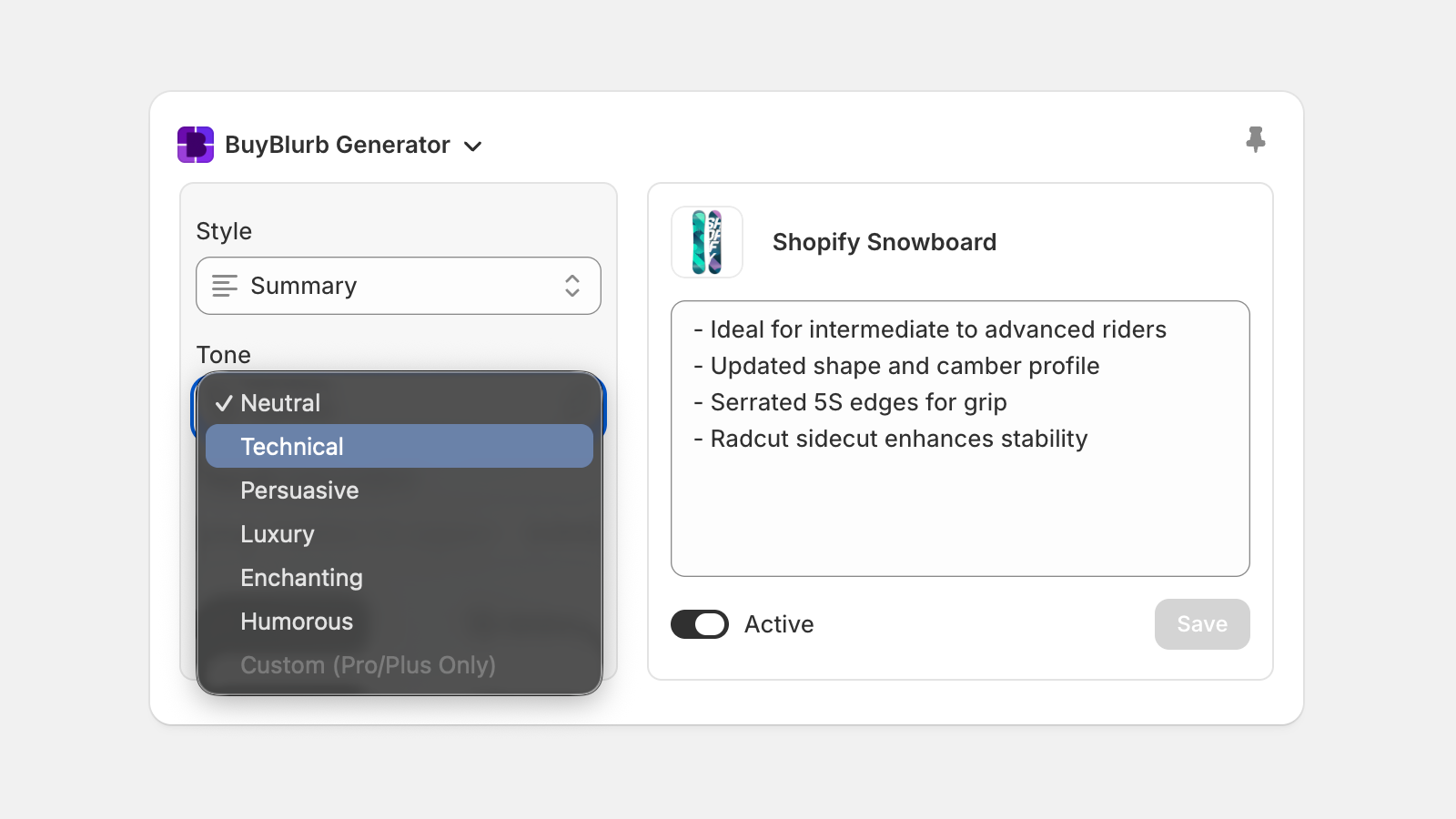
| Tone | Description |
|---|---|
| Neutral | Straightforward, modern, and clean. Clear, direct language with a lightly polished, editorial feel. Crisp, factual phrasing that reads naturally and professionally. |
| Technical | Precise, engineering-aware, and detail-focused. Emphasizes mechanisms, specifications, and measurable behaviors using crisp language. |
| Persuasive | Benefit-forward and confidence-building. Emphasizes outcomes and value with clear, motivating phrasing. |
| Luxury | Elegant, refined, and sensory. Elevated but restrained language that conveys quality and sophistication without exaggeration. |
| Enchanting | Lightly atmospheric and subtly poetic. Gentle charm and refined sensory cues while staying factual and concrete. |
| Humorous | Clever and lightly playful. Subtle wit or unexpected phrasing, never silliness or jokes that distort facts. |
| Custom Pro & Plus | Add your own tone and brand voice in plain language (tone, style, and attitude). Available on the Pro and Plus plans. |
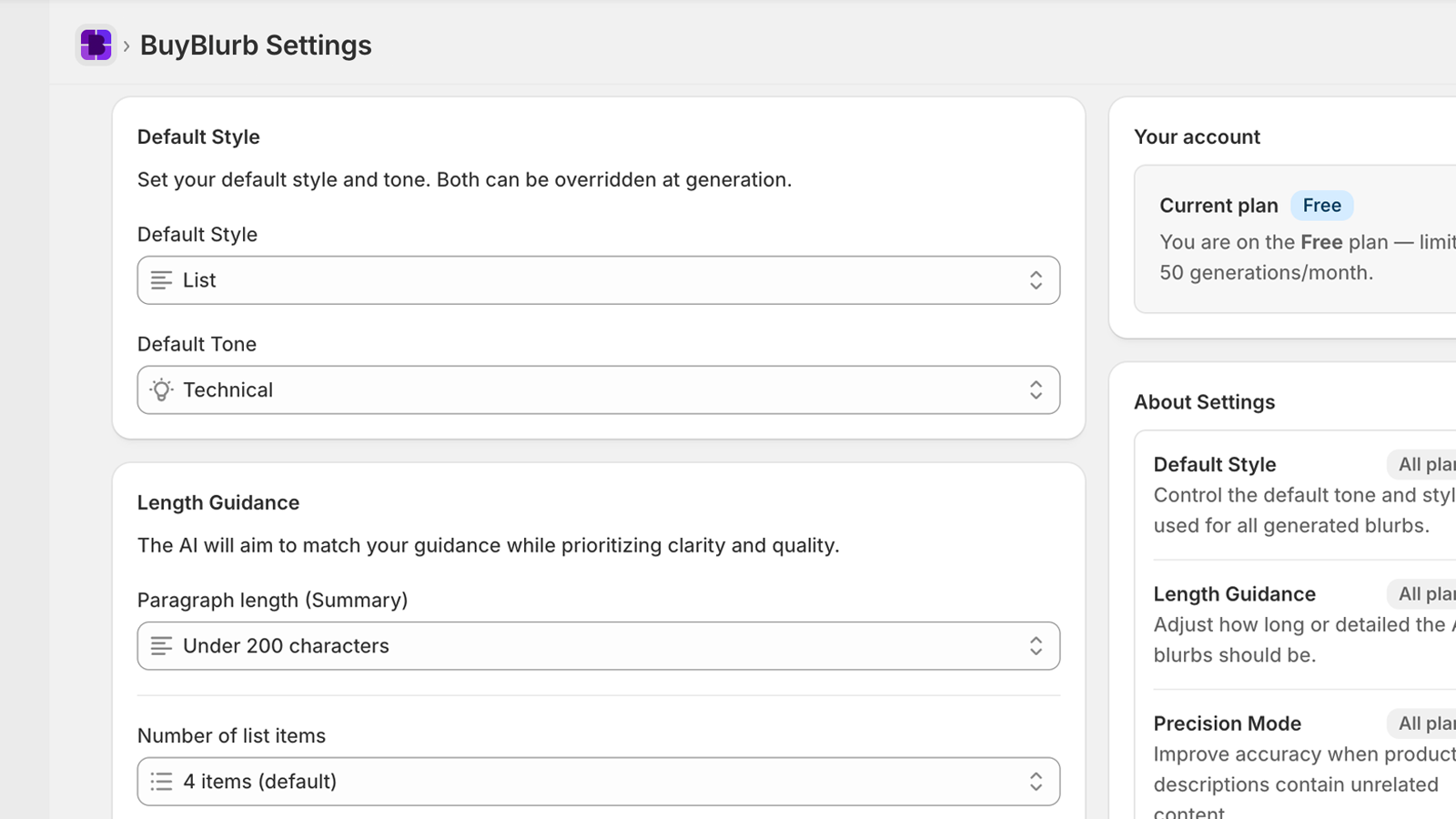
For convenience, your default style and tone can be saved in your settings (shown below) but you can always adjust style and tone each time a blurb is generated.
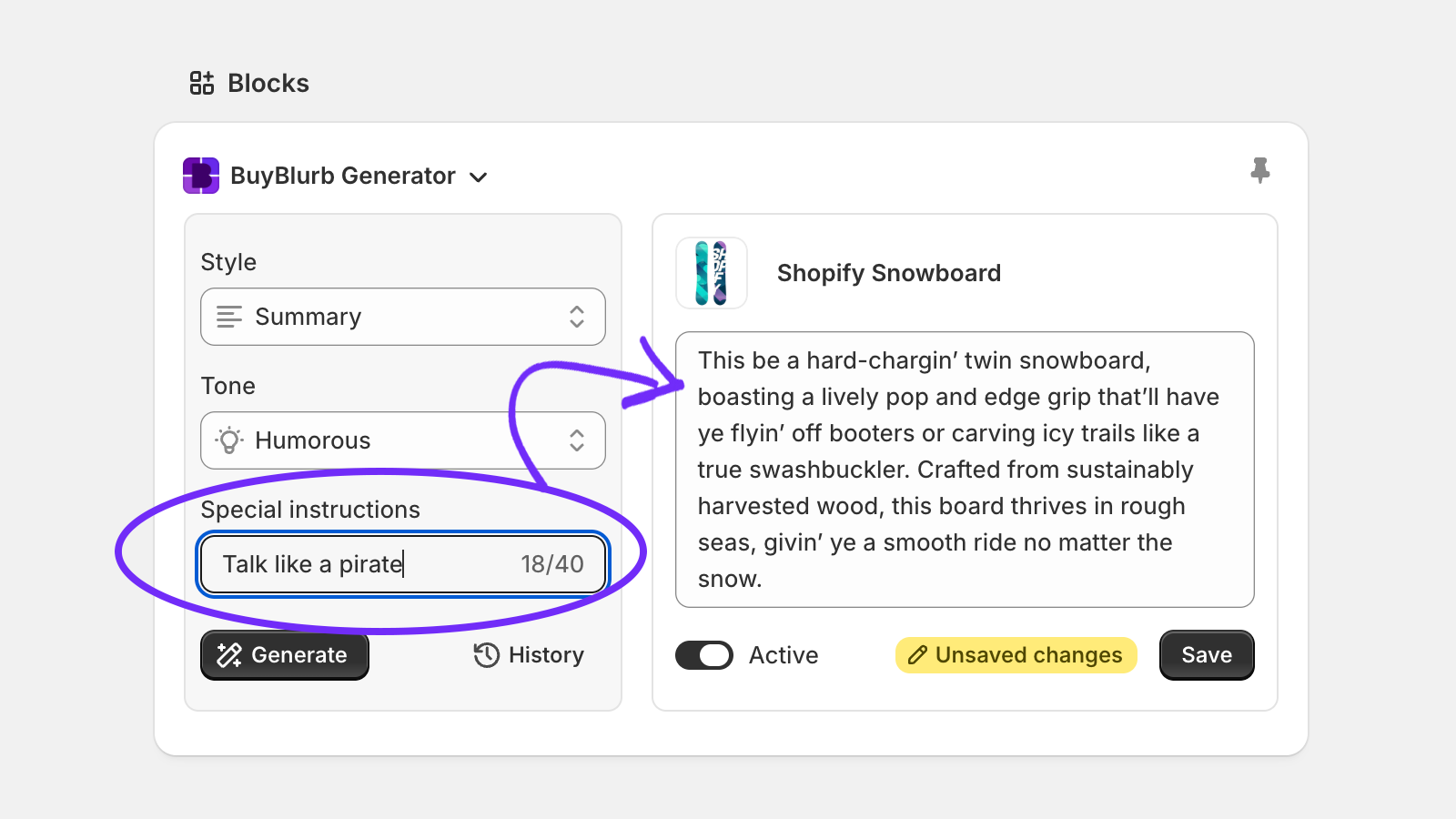
Special instructions
Use the Special instructions field to add a short, per-generation hint (up to 40 characters). This affects only the current output and does not persist.
Length Guidance
Length guidance helps ensure your blurbs stay readable and effective. Shorter outputs are easier to scan, while longer summaries provide more context.
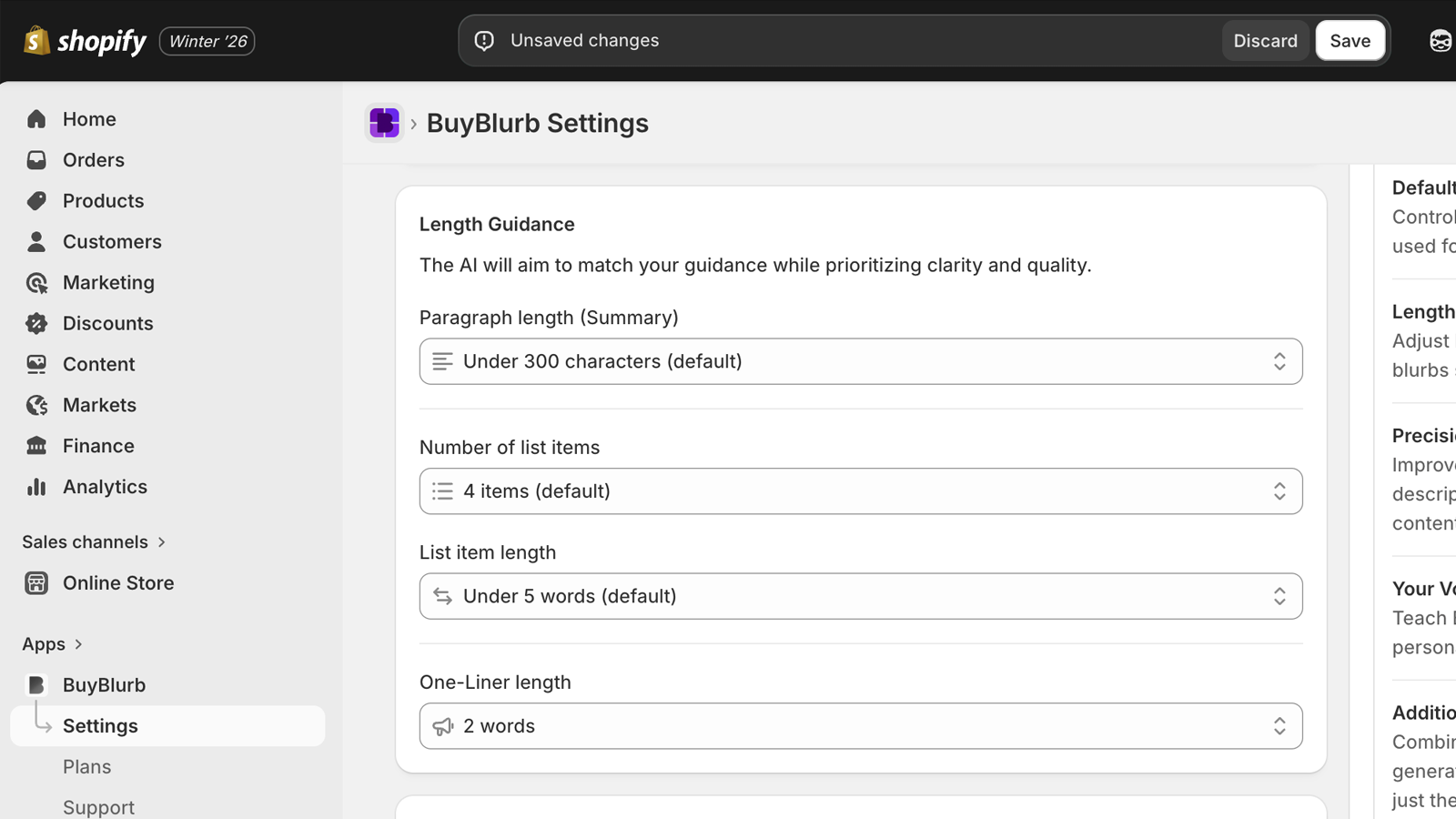
Length settings are applied per style:
- Summary — target character count for paragraph output
- List — number of bullet points generated
- One-liner — maximum word count
Length guidance influences formatting, not substance. Core meaning is preserved regardless of output size.
The AI will balance your length guidance with clarity and flow. Slight variation is normal — good blurbs read naturally, not forced.
Precision Mode
Precision Mode adds a brief analysis step before a blurb is generated. It identifies and removes content that commonly degrades output quality, such as extremely long paragraphs, mixed topics, or non-product material.
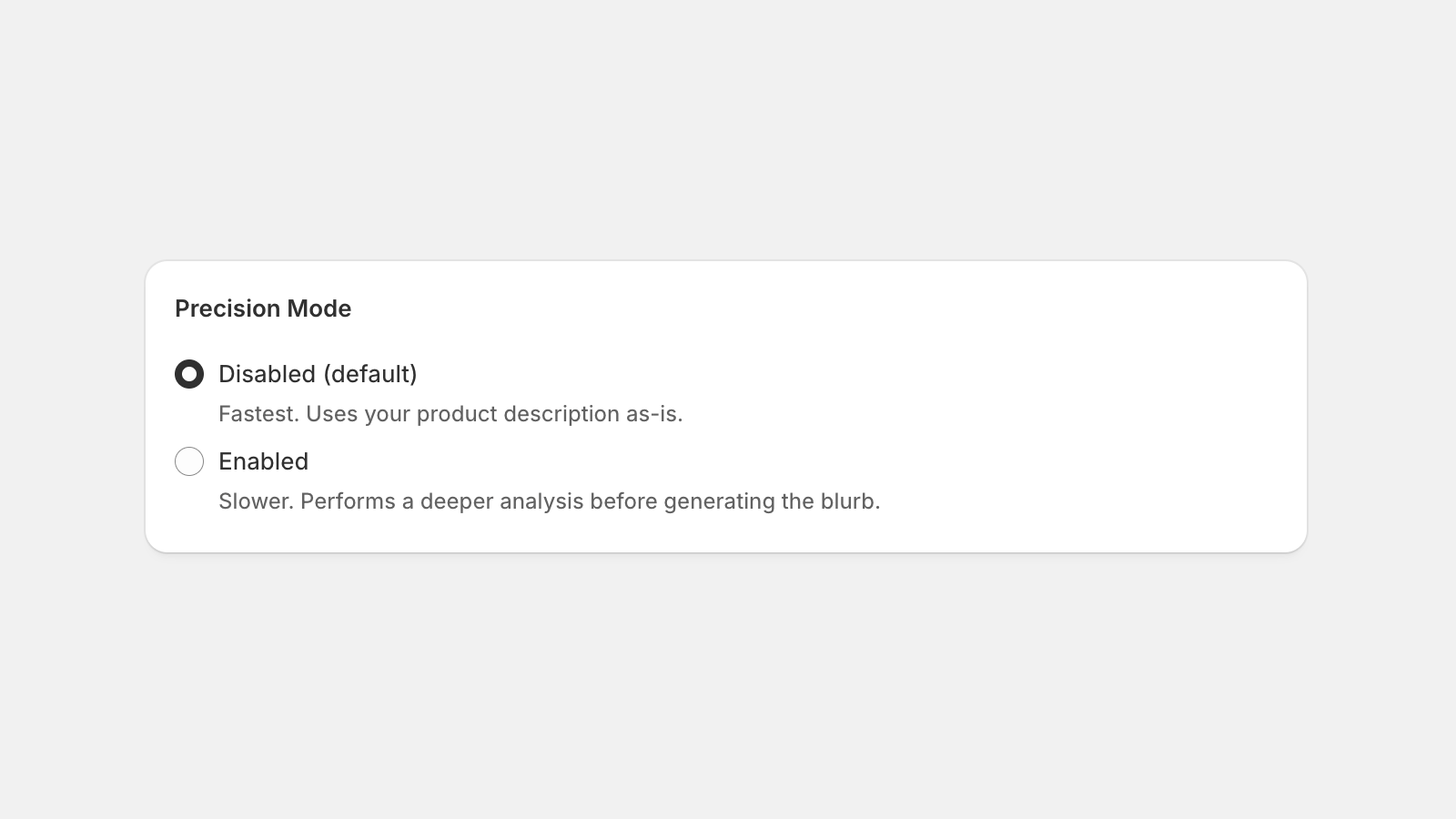
Most merchants can leave this off, but it can be helpful if your product descriptions include:
- Brand storytelling or marketing-focused paragraphs
- Blog-style content or long lifestyle copy
- Shipping, warranty, or return policy text
- SEO keyword lists or overly stuffed bullet points
- Auto-imported or supplier-provided descriptions
When enabled, BuyBlurb prioritizes core product information and filters out distractions. This leads to more consistent, high-quality blurbs—especially for stores with cluttered or mixed descriptions.
Tradeoff: Precision Mode adds a small delay to generation time due to the additional cleanup step.
Precision Mode is available on all plans.
History
BuyBlurb keeps a history of recently generated blurbs for each product. This allows you to review, reuse, or compare recent outputs without regenerating.
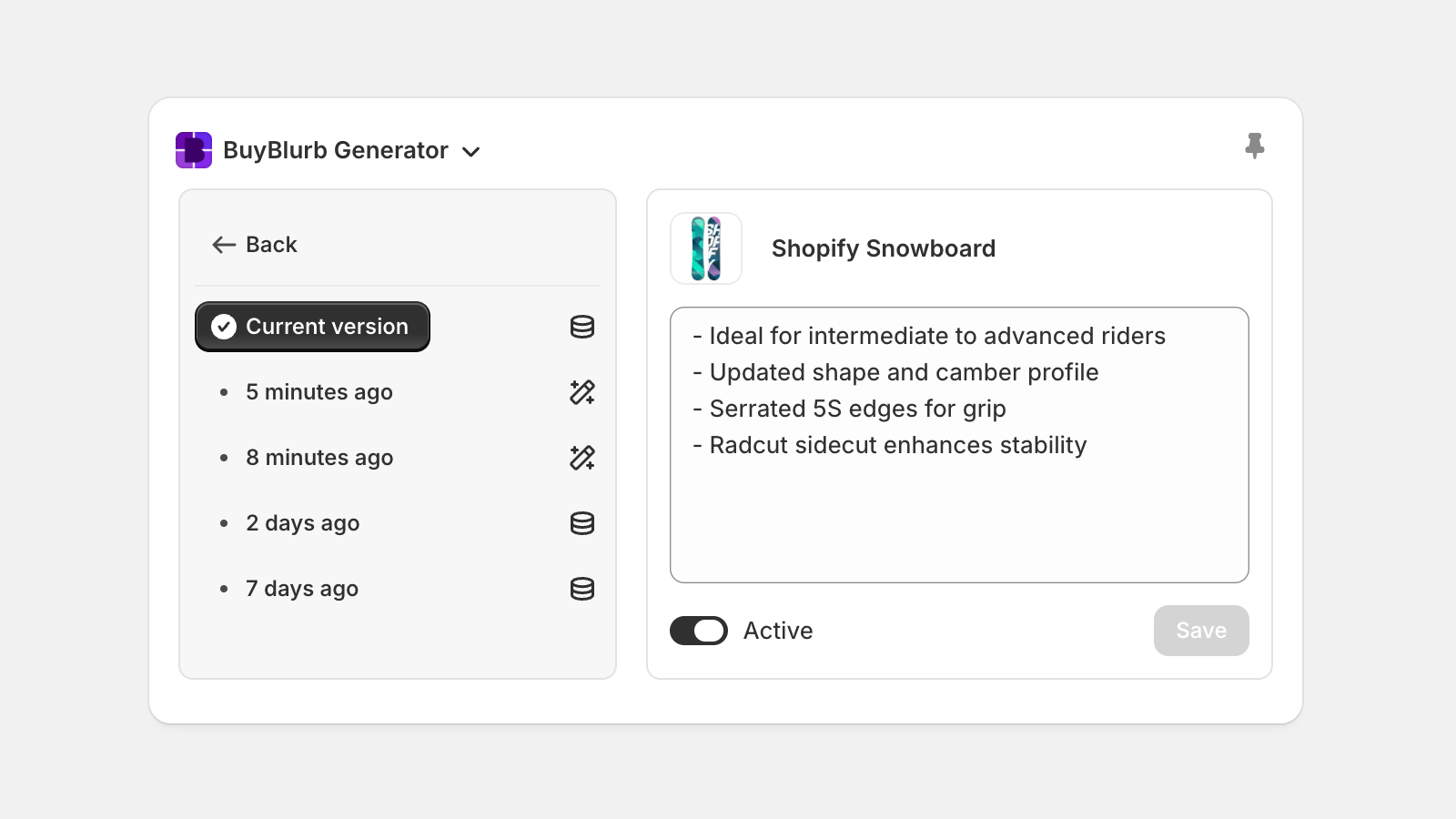
Access recent blurb history by clicking History in the product admin block. Then select a history item to preview it in the main blurb text area and Save to overwrite the currently saved blurb.
Viewing history and selecting or saving recent blurbs does not impact your monthly generation usage. Only generating a new blurb counts as a new generation.
Your Voice Pro & Plus
Your Voice lets you control how BuyBlurb writes, beyond basic tone and length settings. It allows you to define an overall brand voice and optionally fine-tune how each output style (paragraphs, lists, and one-liners) is written.
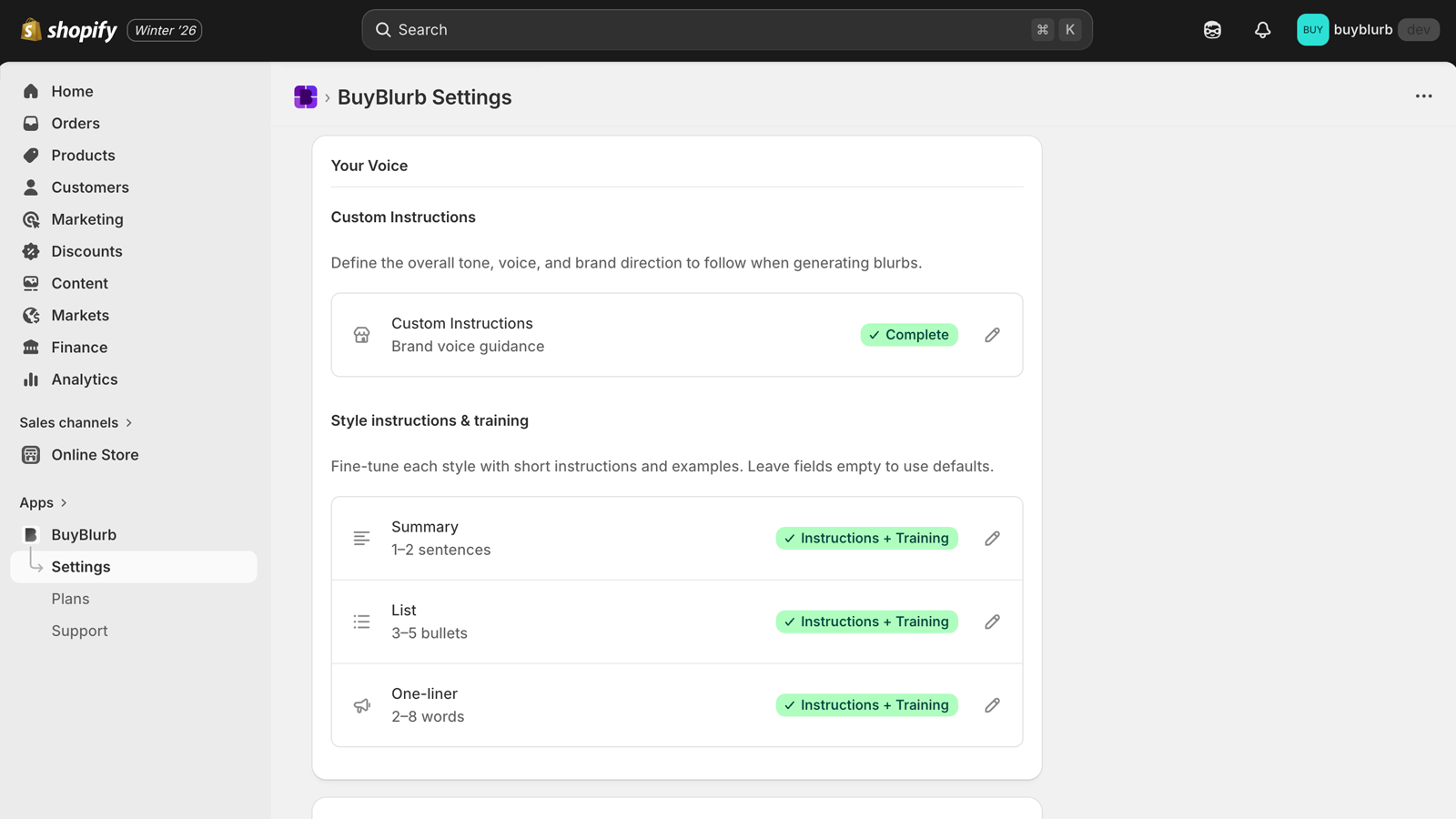
Voice customization is structured in two layers:
Global brand voice
The Custom Instructions field defines your overall brand tone and writing direction. This guidance applies across all blurbs and styles when using the Custom tone.
- Describe your brand’s personality and tone
- Clarify audience expectations or expertise level
- Call out priorities or language to emphasize or avoid
Example: “Clear, confident, and technical. Avoid hype or exaggerated claims.”
Per-style tuning (optional)
Each blurb style—Summary, List, and One-Liner—can be tuned independently using two optional fields:
- Custom Instructions: Short, style-specific guidance that affects how that format is written (for example, structure, emphasis, or phrasing).
- Training Example: A small example showing what a good output looks like for that style. This helps the AI match your preferred structure and voice.
You can use either field on its own, or both together. Leaving them empty simply falls back to your global voice and default behavior.
Your Voice settings apply only to newly generated blurbs and never modify existing content. Voice customization is available on Pro and Plus plans.
Bulk generation Plus
Bulk generation allows you to generate blurbs for multiple products in a single workflow, directly from Shopify’s native Products index. This is designed for large catalogs, migrations, or one-time content updates where speed and consistency matter.
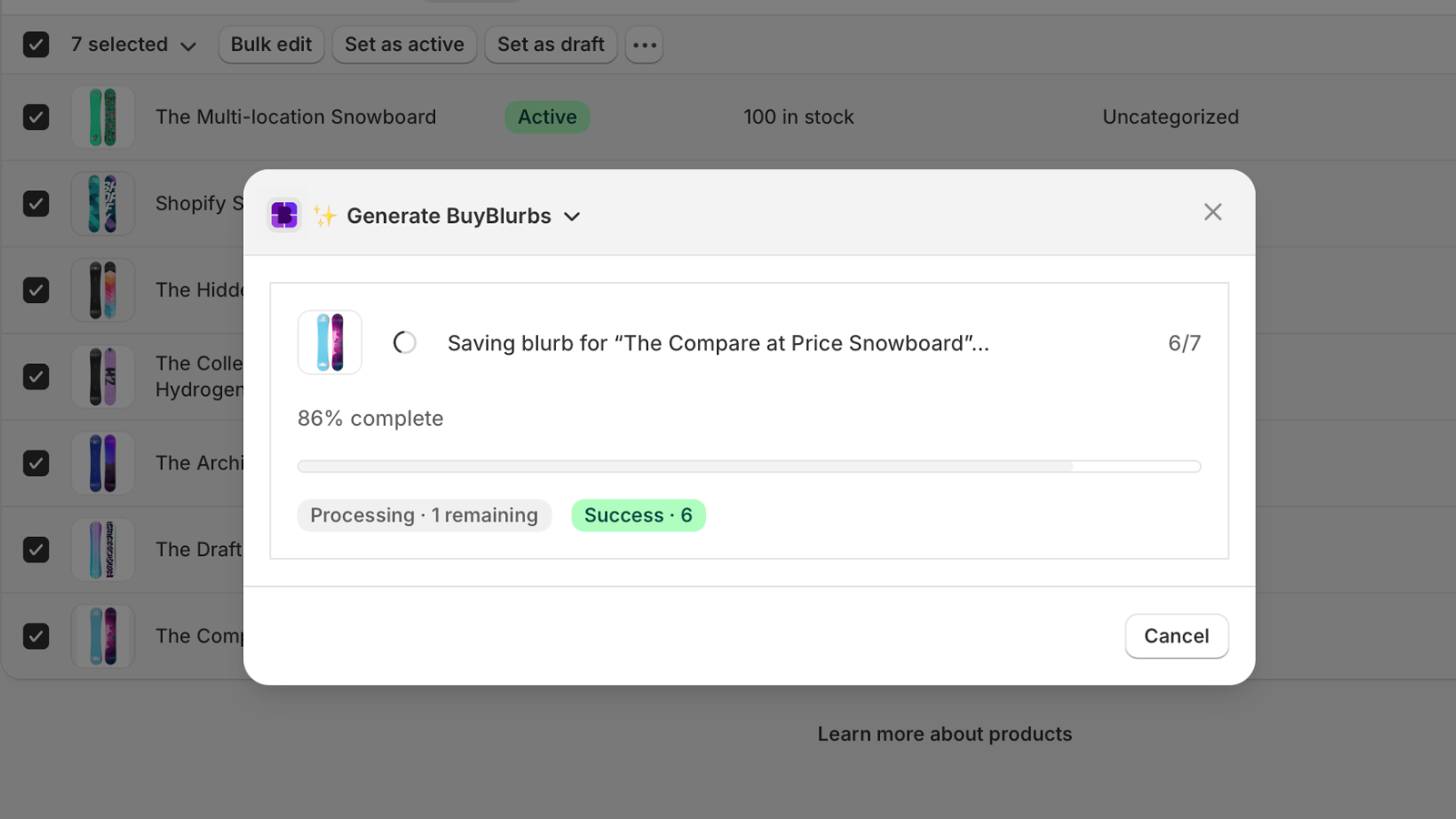
When running a bulk generation job, BuyBlurb uses a shared style and tone configuration across all selected products. Merchants can rely on their saved defaults or override them for the bulk run, just as they would when generating blurbs from the Admin Block. Bulk jobs are processed in batches of up to 50 products per run.
Bulk generation includes safeguards and controls to prevent unwanted overwrites:
- Optional skipping of products that already have existing blurbs
- Automatic skipping of products with missing or empty descriptions
- Per-product validation before generation begins
Once a bulk job completes, BuyBlurb presents a detailed results table showing which products were successfully generated, skipped, or failed. Each skipped or failed item includes a clear reason (for example, no description or invalid input).
Results are also available in a structured JSON view, making it easy to review, copy, or export output for external workflows.
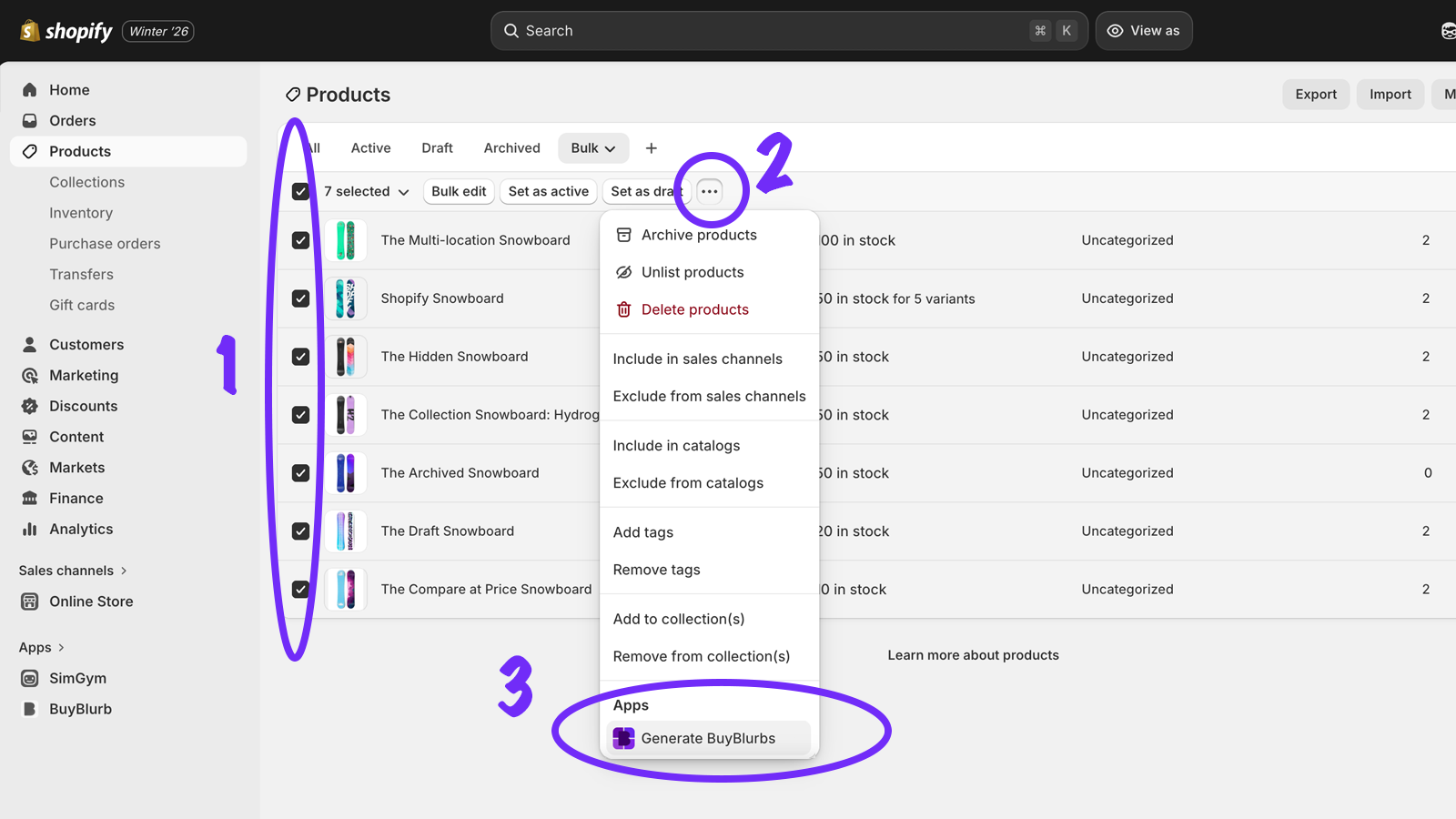
Bulk generation is available on the Plus plan and is accessed from the Shopify Products index using BuyBlurb’s bulk action.
- Select products
- Show bulk operations dropdown
- Select Generate BuyBlurbs action
Additional input source Plus
Additional input sources allow BuyBlurb to generate blurbs using more than just the product description. This is useful when important product details live in separate metafields rather than the main description field.
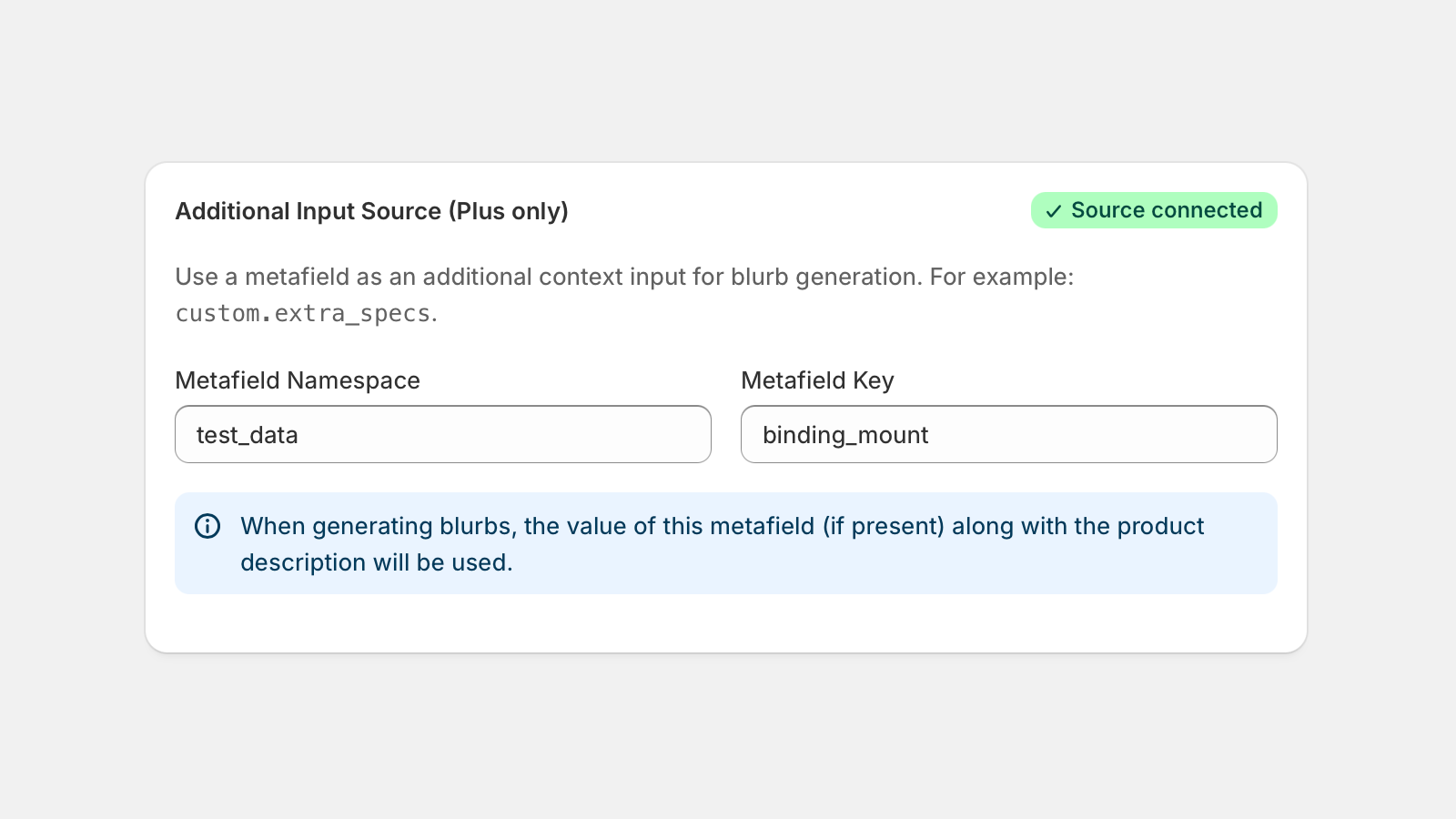
Plus merchants can optionally specify an additional product metafield to be used
as a secondary input during generation. The metafield should be entered in the
standard namespace.key format (for example,
custom.short_description).
When configured, BuyBlurb combines the product’s main description with the value of the selected metafield to provide richer context for generation. Both sources are analyzed together to produce more accurate, relevant blurbs.
This is especially helpful for products where key information is stored outside the default description, such as:
- Technical specifications or compatibility data
- Fit, sizing, or configuration notes
- Manufacturer-provided details stored in structured metafields
Additional input sources are optional and read-only. BuyBlurb never overwrites your original product data or metafield values.