Get started
BuyBlurb is a Shopify app for creating short, scannable product summaries. It complements your existing product descriptions without replacing them.
Have a question, need help, or want advice on getting the best results?
We’re happy to help. Send a message to support@buyblurb.com.
Install
BuyBlurb installs like any standard Shopify app. Installation does not modify your theme or change any storefront content by default.
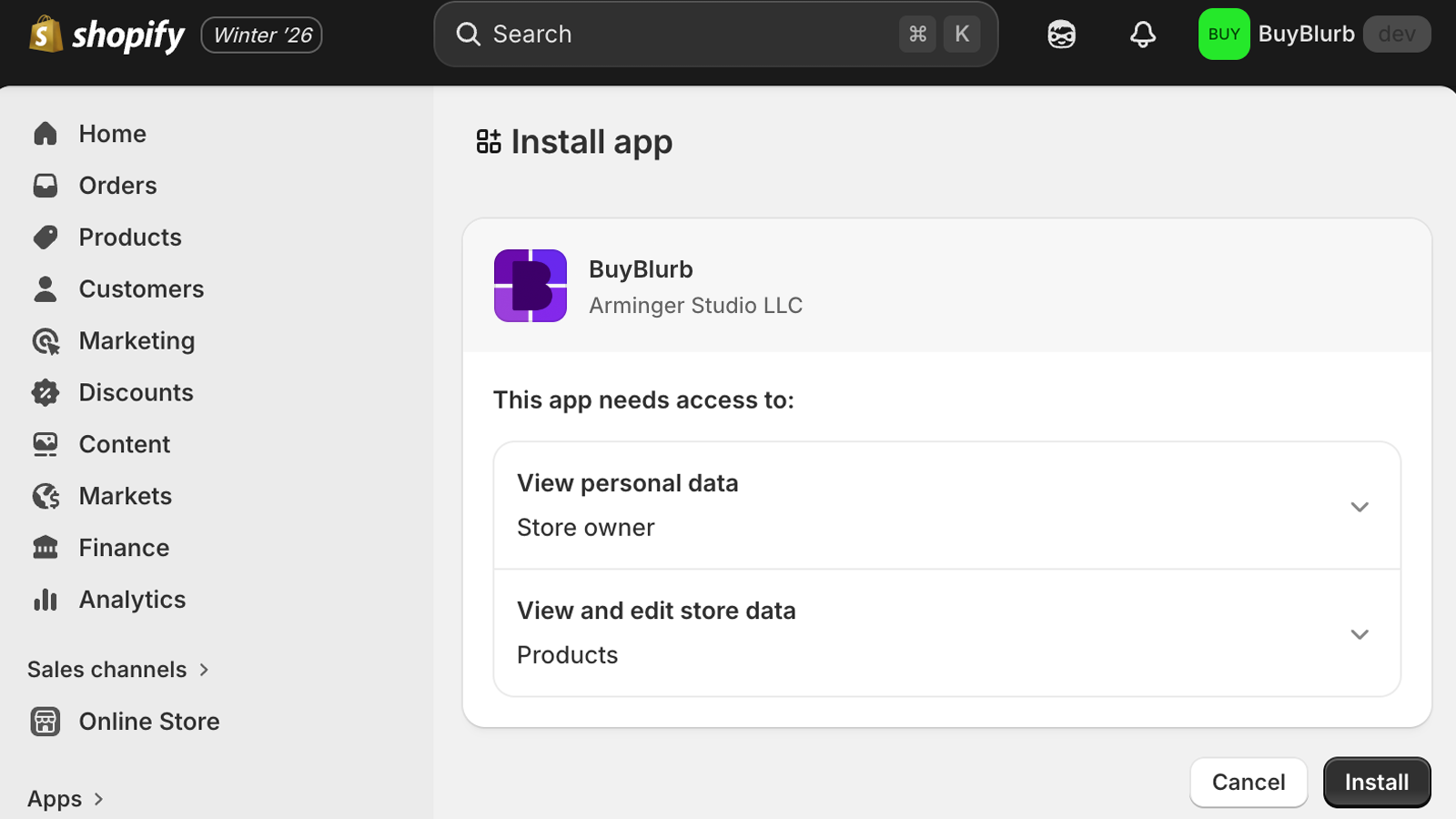
During installation, BuyBlurb requests access to product data in order to:
- Read product descriptions as the source of truth
- Store generated blurbs in product metafields
- Render blurbs safely through Shopify’s native systems
BuyBlurb never replaces or edits your product descriptions. All generated content is additive and fully controlled by the merchant.
You can safely install BuyBlurb without publishing anything to your store. Nothing appears on the storefront unless you explicitly add the Theme Block.
After installation, select your plan and open any product in your Shopify admin to access the BuyBlurb Admin Block and generate your first blurb.
Plans
BuyBlurb plans are designed to support different workflows, from lightweight testing to large catalogs and bulk operations. All plans use the same core system and respect your product data as the source of truth.
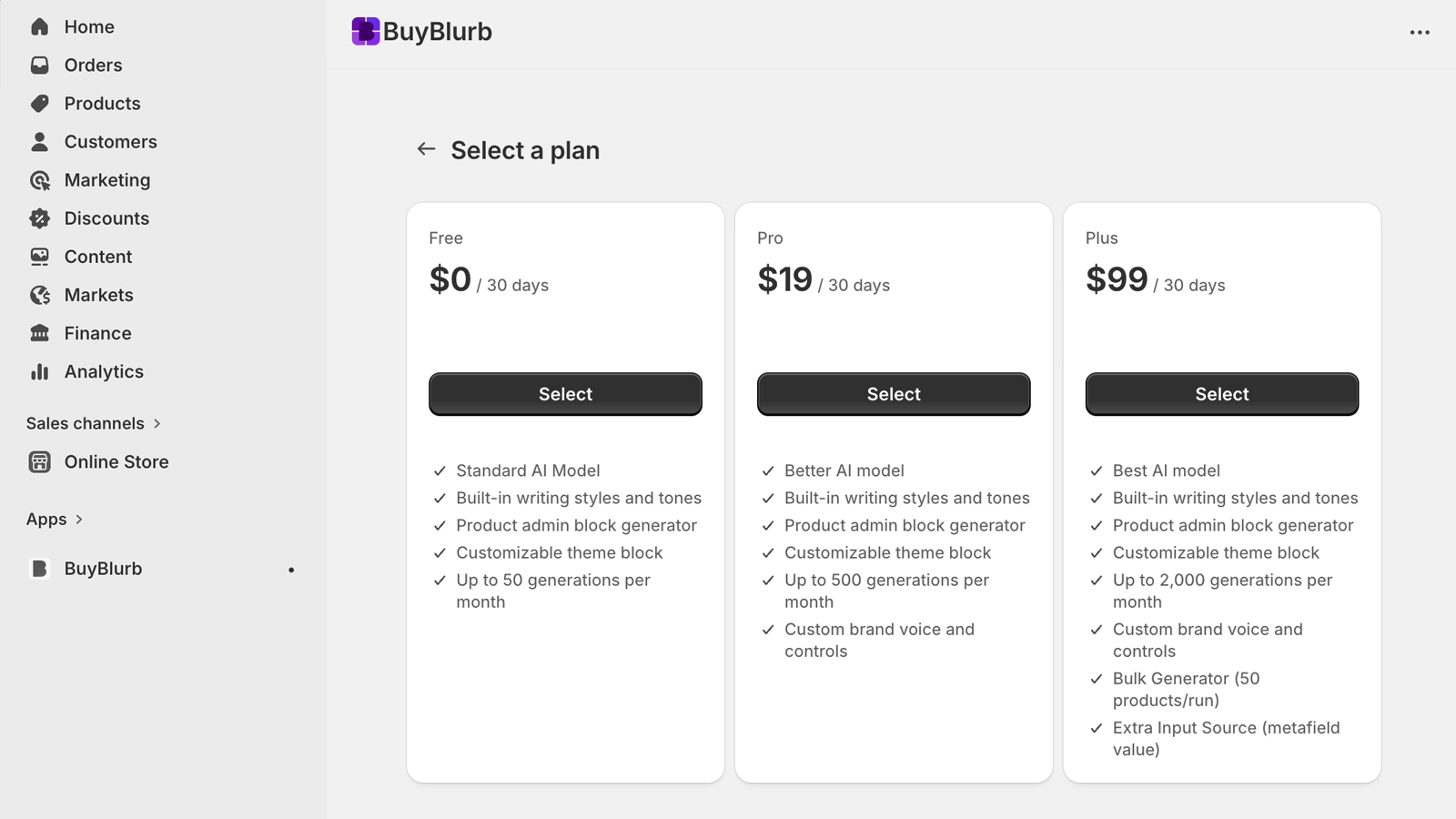
- Free — Generate blurbs directly from product descriptions with full manual control.
- Pro — Adds brand voice customization, higher-quality generation, and expanded usage.
- Plus — Designed for scale, with bulk generation tools and an advanced source inputs
Upgrading or downgrading plans never removes existing blurbs. All generated content remains stored in your product metafields.
Admin block
The BuyBlurb Admin Block appears directly inside the Shopify product editor. This is the primary interface for generating, editing, and managing blurbs.
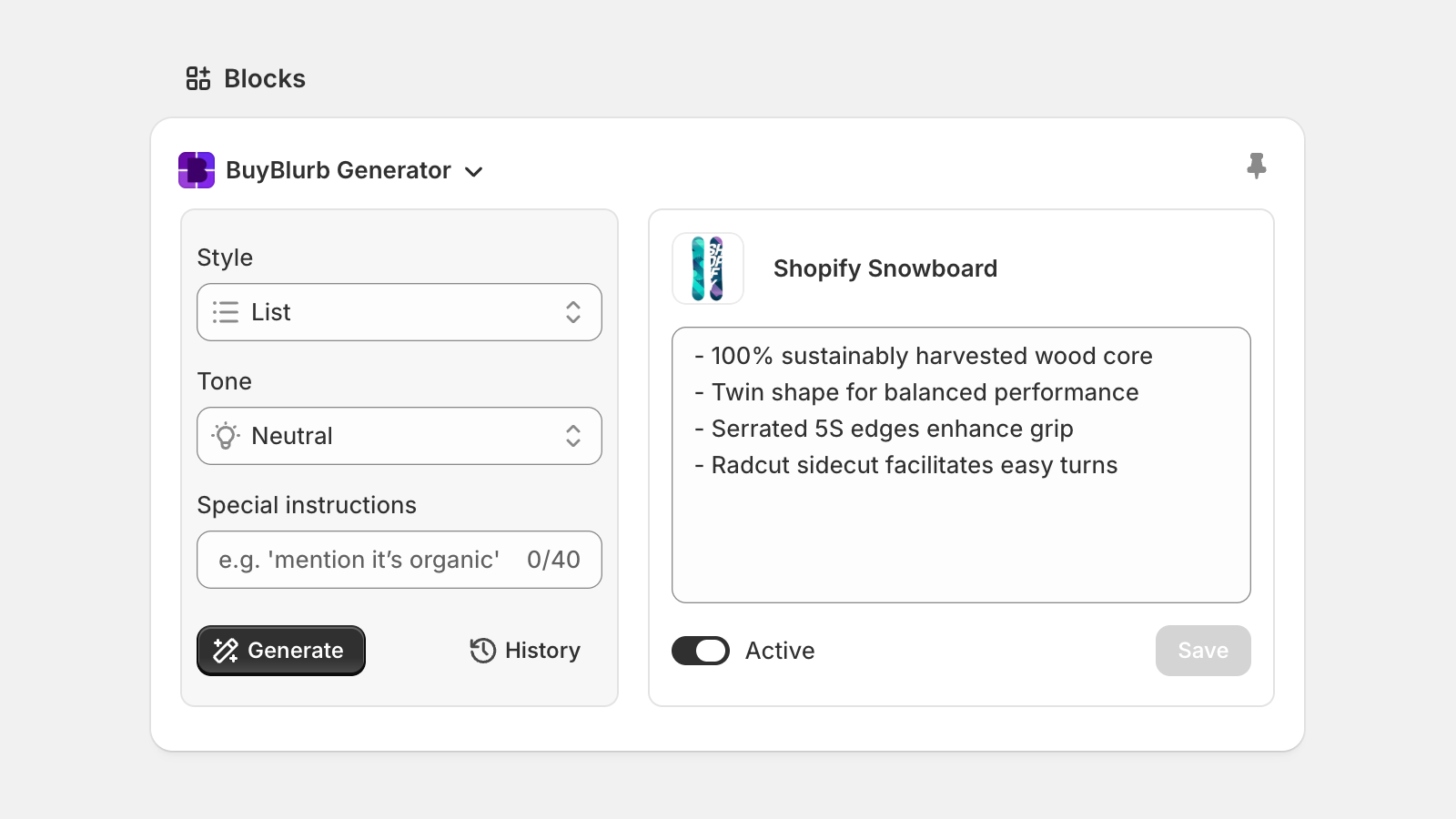
The Admin Block is designed to feel native to Shopify and supports a low-friction workflow:
- No page reloads
- No external dashboards required
- No disruption to existing product data
From this block, you can generate new blurbs, review past generations, and fine-tune output before saving.
Add the admin block
Add the Admin Block to your product editor so you can create blurbs while editing a product. After adding it, pin the block (shown below) so it stays visible for you and your staff on every product page.
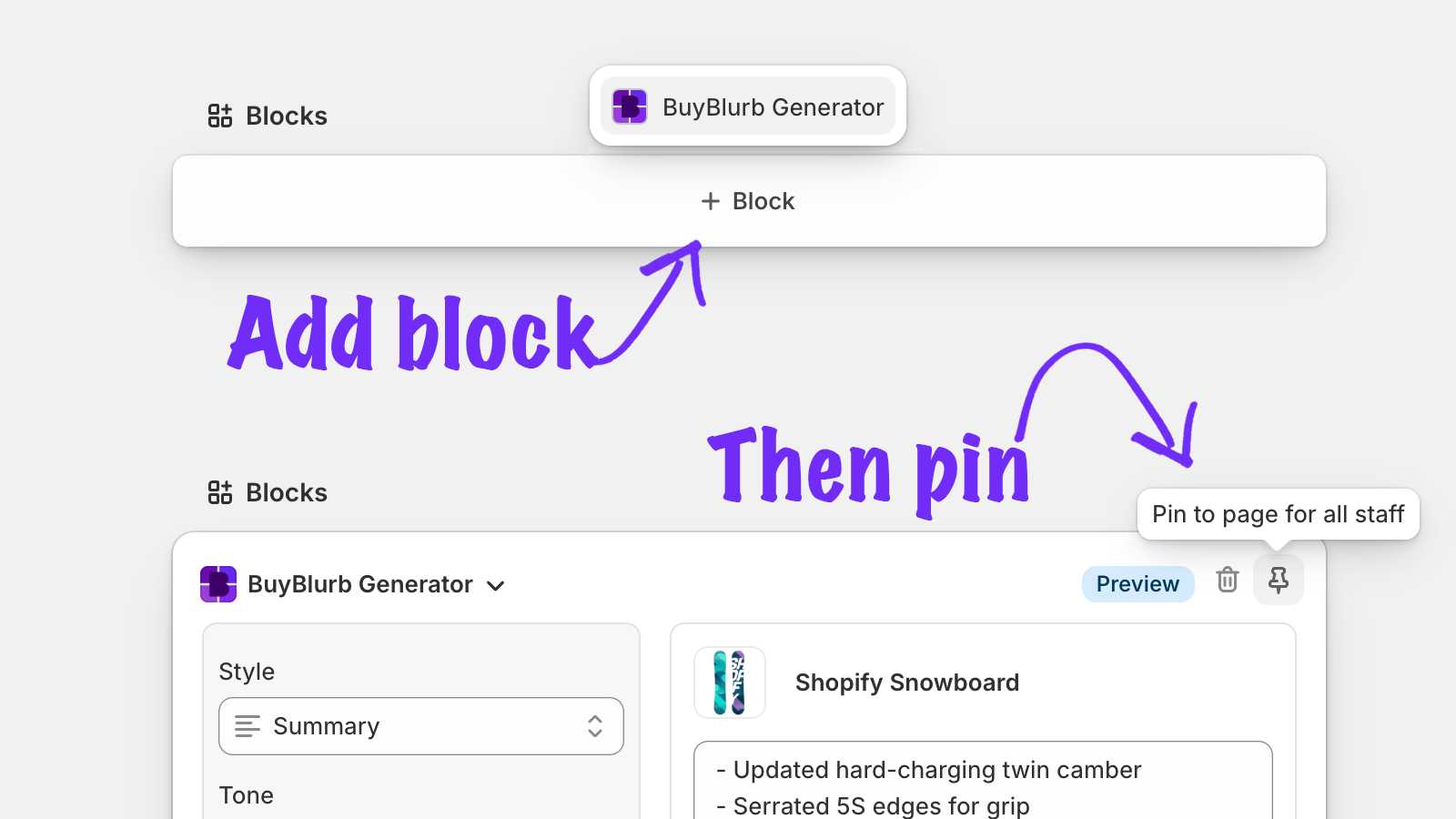
To add the Admin Block:
- Open any product in your admin
- Scroll down and select Blocks: + Block
- Select BuyBlurb Generator
- Select the pin icon to keep the block visible
All actions performed in the Admin Block are scoped to the current product. Bulk generation is only available on the Plus plan.
Generate a blurb
Generating a blurb starts with selecting a style and tone then clicking Generate. BuyBlurb treats your product description as the single source of truth and extracts the most relevant information to produce clear, skimmable copy.
Available styles include:
- Summary — a concise paragraph overview
- List — scannable bullet points
- One-liner — short, high-impact copy
You can regenerate variations, edit the output manually, or discard results entirely before saving.
Generation docsBuyBlurb generates content exclusively from your existing product data. It does not fabricate specifications, guarantees, or performance claims.
Theme block
The BuyBlurb Theme Block controls how saved blurbs appear on your storefront. It is compatible with Online Store 2.0 themes and does not require custom Liquid code.
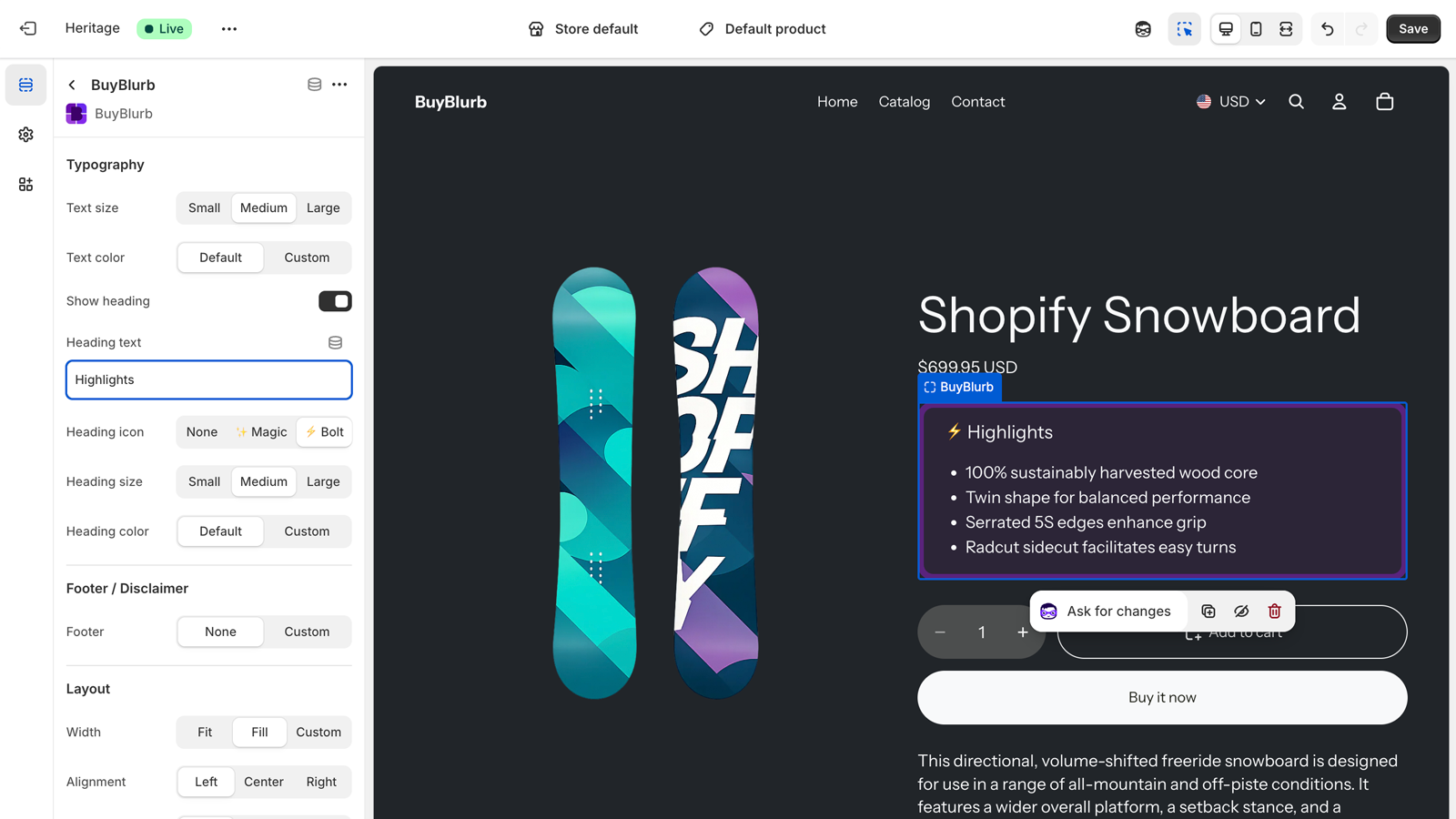
To add the Theme Block:
- Open Online Store → Themes → Edit theme (formerly Customize)
- Navigate to a product template
- Add the BuyBlurb block where you want it to appear
The block renders content directly from product metafields, ensuring fast, reliable delivery without additional scripts.
Because blurbs are stored as Shopify metafields, your generated content remains available if you downgrade or pause your plan.
If you uninstall BuyBlurb, the included theme block will no longer render— but the metafield content itself is untouched and can be used in any theme or custom snippet.
The BuyBlurb Theme Block is designed to be simple to use but deeply configurable. It follows Shopify’s best practices for performance, accessibility, and SEO, and gives you full control over layout, styling, and visibility—without requiring custom code.
For vintage or non–Online Store 2.0 themes, blurbs can also be rendered using a lightweight snippet that outputs the same metafield content directly in your theme.
Theme docsSettings
Global settings allow you to define how BuyBlurb behaves across your store. These settings act as defaults and can be overridden per product.
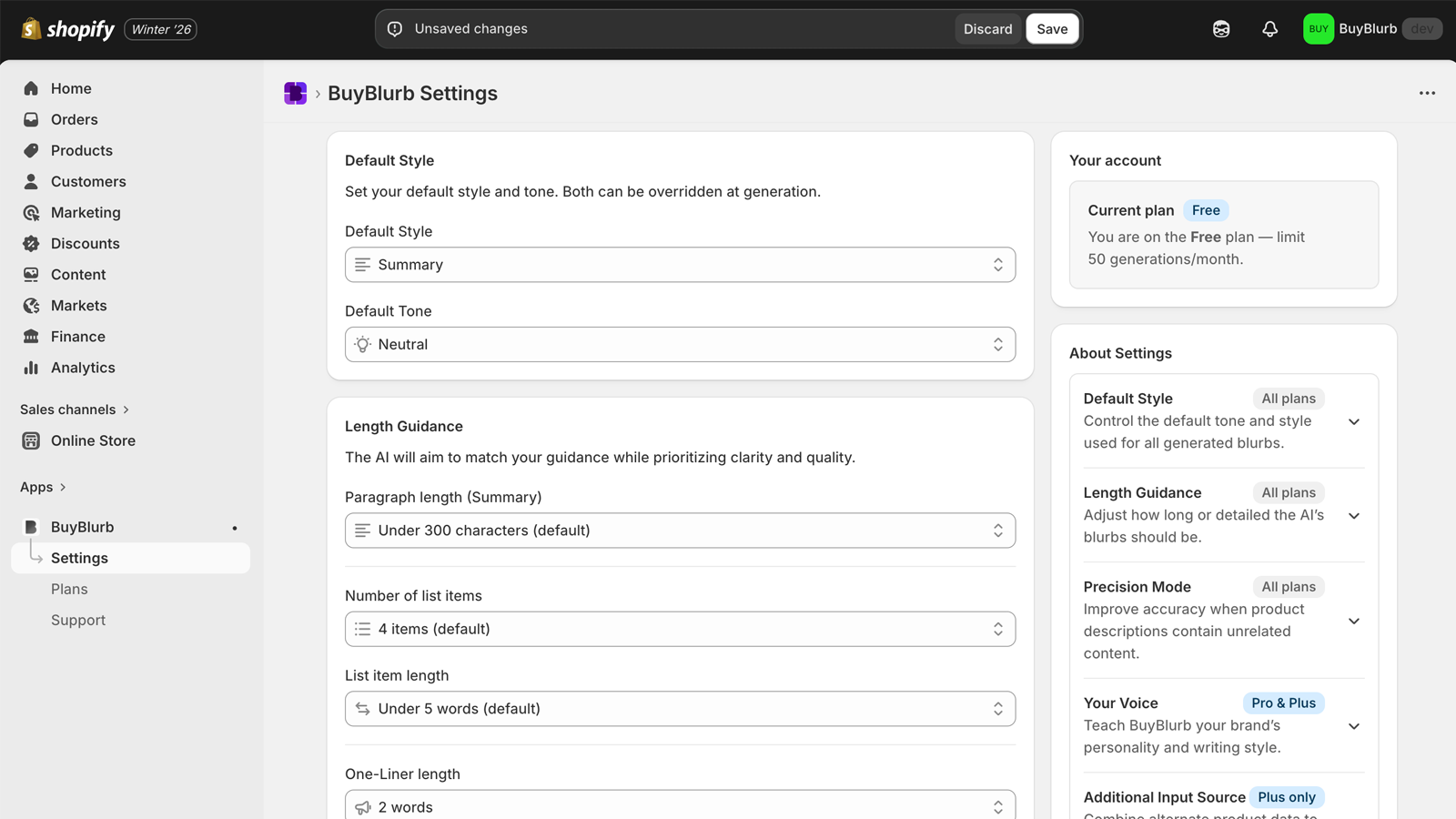
Settings include:
- Default tone and writing style
- Preferred output length
- Precision mode for stricter extraction
- Custom voice instructions (plan dependent)
Changes to global settings do not retroactively modify existing blurbs. Only newly generated content is affected.
Metafields
BuyBlurb stores all generated content directly in your product metafields (buyblurb.summary).
This keeps your blurbs portable, transparent, and fully under your control.
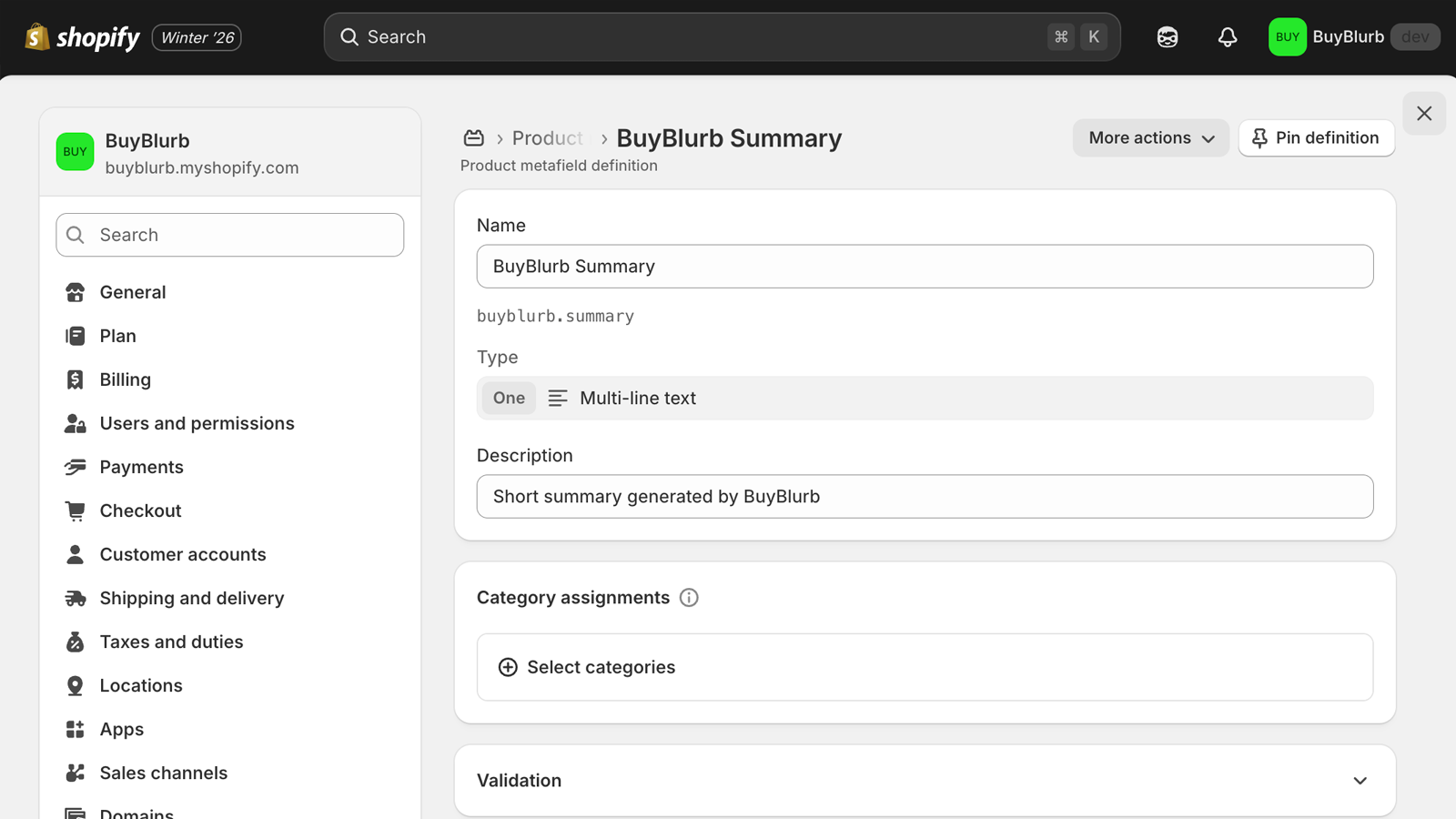
Using metafields ensures that:
- Your blurbs are owned by your store, not locked to the app
- Existing content is preserved across plan changes
- Blurbs are available to themes, APIs, and custom integrations
If you uninstall BuyBlurb, your existing blurbs remain intact as Shopify metafields and can continue to be used anywhere in your store.